Building an AI Site with Hostinger… Does It Work?

Hostinger is primarily known as one of the world's most popular WordPress hosting providers. However, since 2022, they have also offered a website builder that competes with services like Wix, Webador and SquareSpace.
Given the enormous hype that has arisen around generative AI in recent years, it was not surprising that Hostinger would eventually add AI capabilities to their own website builder.
So far, I haven't been very impressed by the AI capabilities in the world of website development – with 10Web as the absolute low point. Does Hostinger actually deliver on their promises regarding their AI website maker?
Setting up an AI website via Hostinger
After setting up a Hostinger account you can choose to install a WordPress site or use the Hostinger website builder.

After choosing your website builder, you'll be asked whether you want AI to do the work, or if you want to choose a ready-made template. Here, select the AI option via Start creating.

Next, choose your domain name. Not sure which domain you want to use? No problem. At the bottom of the page, you can opt for a temporary domain name. This allows you to get started with the website builder right away, before choosing a domain name.

Then it's time to let the AI do its work. First, you choose the type of website you want to create via a dropdown menu (blog, webshop, landing page, etc.). Then you enter your company name and a description. You can also choose your own color palette (or let Hostinger do this for you).

When you have filled in everything, click on the Create a website button. Now it's just a matter of waiting a few minutes.
The result
All in all, I was quite satisfied with the AI site that Hostinger came up with. It wasn't anything spectacular, but it suffices as a starting point for a simple website.
The design
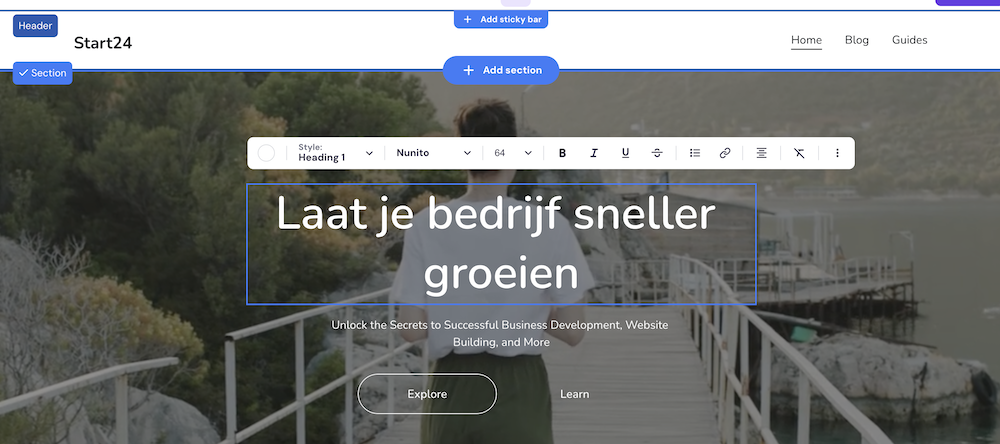
I tried to create a site that somewhat feels and looks like WebsiteGecko and this was the result:


The result didn't disappoint me. The design and layout work well and don't show any major flaws.
The Hostinger website editor works intuitively and then lets you put the finishing touches on your desired design.
Copywriting and Images
However, the copywriting was useless, and the images also felt somewhat random.
To be fair: the description I gave to the AI tool was perhaps a bit abstract. This might work better with a very clear business, like a bakery or a hair salon.
Can we recommend Hostinger's AI website builder?
Choosing between WordPress or a website builder can feel challenging. But the bottom line is that you should choose a website builder when your site is extremely simple and will remain that way, and you want to spend as little time as possible on website development.
I can recommend Hostinger's AI website builder for this purpose. Within a few minutes, you'll have an excellent foundation for a simple website online that you can then customize to your heart's content.
Does the tool produce groundbreaking copywriting or web design? No. The copy is practically unusable and the designs are solid, but not eye-catching. This latter point isn't necessarily a problem: personally, I expect an AI website tool to produce solid designs which pretty much stay within the beaten path..
What you need to ask yourself is whether an AI tool like this adds a lot of value compared to the standard Hostinger website maker templates that you can also choose.
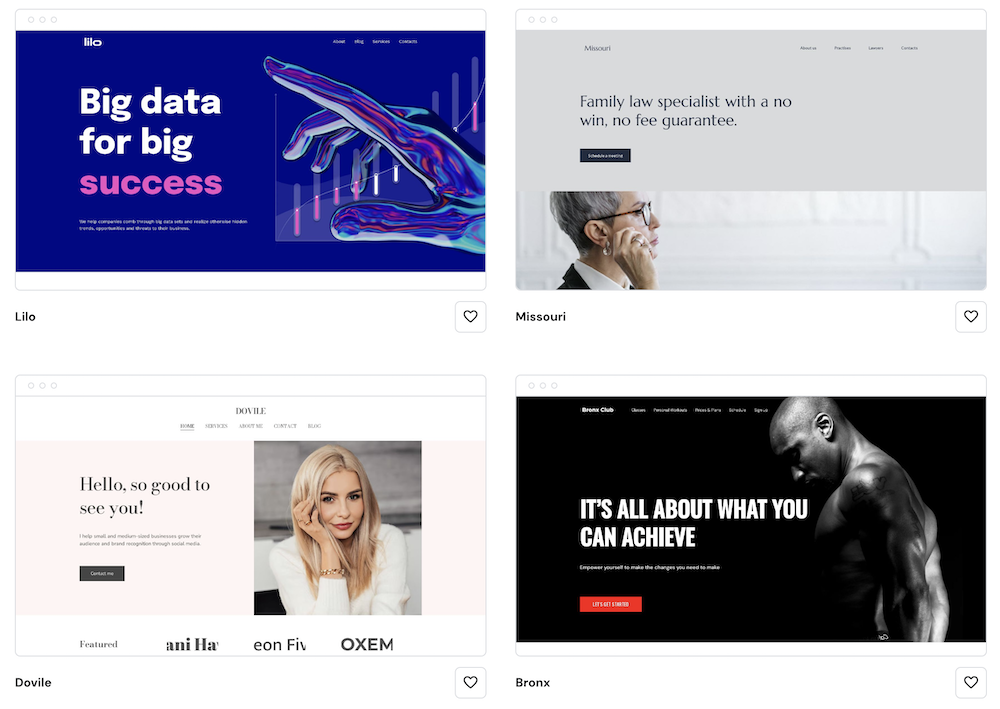
Look, the AI tool is definitely faster. Within a few minutes you have a site up and running, and you don't need to sift through dozens of templates. But as I quickly browse through Hostinger's ready-made templates, I do find myself thinking, hmmm, there are some designs here that I find a bit more interesting than Hostinger's AI concoctions.
Perhaps it depends on how confident you are about your own web design capabilities: if you're just starting out and have no experience at all, it can be nice to outsource the design decision process to Hostinger.