Kinsta Review: Is It Worth the Cost?

Kinsta is one of the few fully managed WordPress web hosts. The service offers virtually unbeatable performance, but costs a small fortune. In this review, you'll discover whether Kinsta is the right hosting provider for your website.
Kinsta Review Overview
Speed

Google Cloud C2 servers and a TTFB of <150ms.
Uptime

Most months achieve 100% uptime thanks to Google Cloud.
Support
Live chat with WordPress experts within 2 minutes.
Simplicity
Beautifully designed, highly intuitive dashboard,
Features
Free migration service, backups (up to 14 days), CDN.
Costs

Inflated pricing considering the specifications.
Our score:
4 out of 5
Benefits
Disadvantages
Kinsta is one of the most well-known managed WordPress hosting providers. The company is based in California and London.
Their client list includes TripAdvisor, General Electric, and Ubisoft. Many Fortune 500 companies with WordPress websites rely on Kinsta, but bloggers and small businesses demanding the absolute best in WordPress hosting also choose their services.
Unlike most web hosts, Kinsta uses the Google Cloud Platform. This results in exceptionally good performance in terms of both speed and uptime.
That being said, Kinsta costs a small fortune. Is this web host worth the high price for you and your business?
Kinsta at a Glance
| Uptime | ✓ |
| Customer Support | 24/7 live chat and ticket support |
| Managed WordPress | ✓ |
| Types of Hosting | Cloud, dedicated |
| Basic features | Uptime checks every 2 minutes, 10GB storage, free site migration, free SSL, free CDN |
| Most suitable for | High-traffic business websites and rapidly growing commercial blogs |
| Server Locations | 35 Google Cloud locations worldwide |
| Starting at | $35 per month |
Pure Managed WordPress Web Hosting
The most important elements of good web hosting are uptime, loading speeds, and customer service. How does Kinsta perform in these areas?

Very fast loading times
Kinsta uses the Google Cloud Platform. To be more precise, as a Kinsta customer you get access to the new generation Google Cloud C2 servers. This puts you a step above SiteGround, which also uses Google Cloud but relies on the older Google Cloud N2 servers.
Kinsta feels fast in every aspect. Whether you're working in your hosting panel, the WordPress dashboard, or navigating through your site – everything loads almost instantly.
However, for you as a reader, data carries more weight than my personal experience, so let's dive straight into the speed test results.
For my tests, I selected Kinsta's Starter plan ($35 per month) and installed the following test site on it:
- WordPress theme: Kadence
- Plugins: Block Navigation, Kadence Blocks, Post Duplicator
- SSL Certificate (Let's Encrypt)
- No speed or caching optimizations
The website includes a versatile theme and various plugins. It comes complete with images, text, and diverse visual elements. In terms of speed performance, this makes the website comparable to a modest business website or a blog.
The GTMetrix scores for Kinsta looked like this:

The page loading time is under one second and the TTFB (Time to First Byte) was 151ms. This refers to how quickly the server responds to a request.
Excellent uptime
Kinsta's uptime is virtually perfect. For a test website, Pingdom monitoring showed 100% uptime for more than half of the months tested.
The other web hosting services we tested also performed excellently in this area. But Kinsta is in a completely different league. Their uptime absolutely destroys that of 99% of all web hosting companies.
This is important because a site that's offline is completely useless. What's the point of having the fastest website in the world if your visitors can't access it?
Unstable uptime leads to frustrated visitors and, if you run a commercial site, lost revenue. With Kinsta, you'll never experience these problems.
Your website's uptime can decrease due to issues with the web hosting itself (such as an overloaded server), but also because of external problems. For example, hackers attacking your site.
To prevent this, all Kinsta plans include a website check that runs every 2 minutes. This guarantees that even if your website gets hacked, it will be back online in no time.
Professional customer service
Kinsta offers 24/7 live chat support, and their team provides one of the fastest response times in the industry. On average, it takes just 1 minute and 27 seconds to receive a response, although in my personal experience, I've never had to wait more than a minute.
Kinsta only offers live chat support – you can't reach them by phone. Is this an issue? I don't think so. Technical questions are much faster and easier to resolve via live chat. You probably won't miss phone support at all.
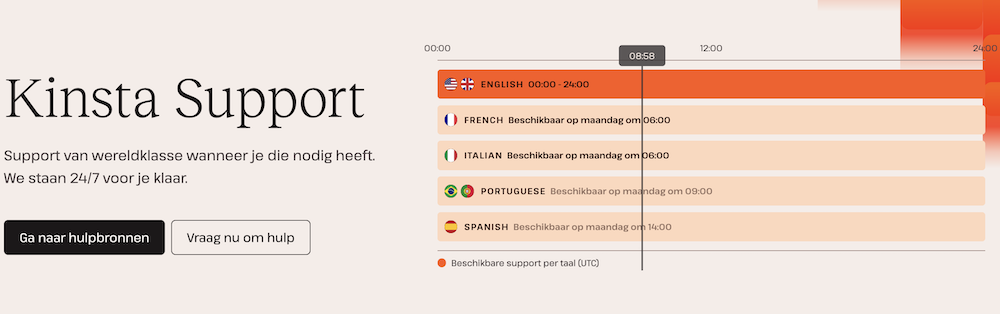
As you'd expect from a premium managed WordPress host, the knowledge and expertise of their customer service team is at an incredibly high level. According to Kinsta themselves, they only hire 1% of their customer service applicants. I believe it. Their team knows absolutely everything about WordPress and provides remarkably detailed answers. Every issue I sent their way was resolved for me in no time.
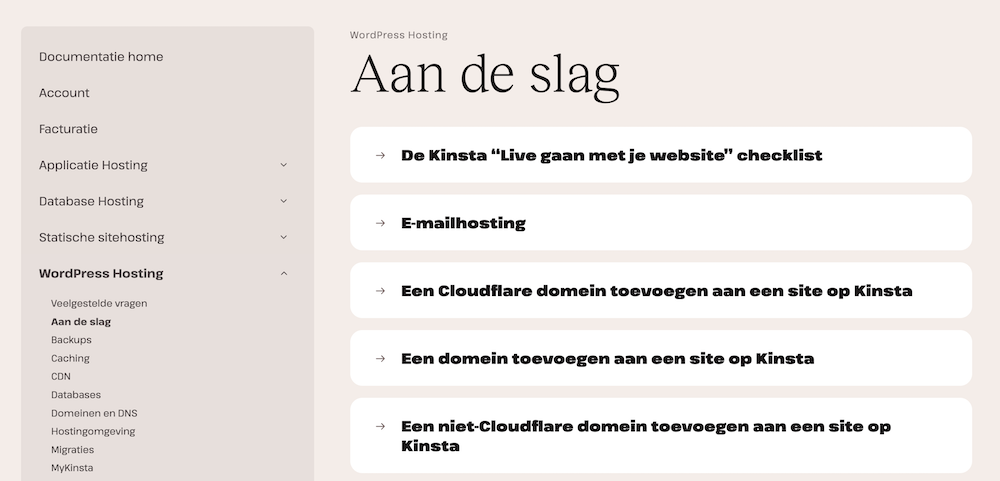
Additionally, Kinsta offers a knowledge base that helps you find answers to your questions. And if you're not a fan of chat support or self-service options, you can also reach them via email.
Kinsta takes performance extremely seriously
Google Cloud Platform
Kinsta operates using the Google Cloud Platform. This means your WordPress website runs at Google's speed.
This isn't a problem in itself, but with providers who cut corners, this could mean your site eventually runs on outdated hardware.
Google's Cloud Platform, on the other hand, uses the latest available hardware.
Additionally, you can only install WordPress on Kinsta and not other applications like Magento. The advantage of this is that you get even better performance: everything is configured to run WordPress websites as optimally as possible.
Global data centers
When adding a site to your Kinsta account, you can choose from one of their 35 data centers. Each site on your account can be hosted from a different location. For comparison, most other web hosting providers have at most 3-5 data center locations.

The fact that Kinsta's data centers are located throughout the world is incredibly valuable for internationally oriented websites. Thanks to Kinsta's custom-built CDN, or Content Delivery Network, visitors to your website will always have it loaded through a data center closest to their location. The result? Super-fast loading times everywhere in the world.
Ease of use, costs, and additional services
Kinsta's uptime, speed, and customer service score excellently. But what about the costs, user-friendliness, and additional features?
Dashboard
Kinsta has built their own custom dashboard.
Their dashboard is one of the most intuitive on the market. And unlike cheaper hosting services, you won't be bombarded with annoying upsell pop-ups. That said, Kinsta doesn't really have many upsell opportunities: their cheapest plans include the same features and extras as their more expensive plans.

Kinsta's hosting dashboard feels more streamlined than those of other hosting providers. This makes sense: Kinsta has already configured nearly everything so WordPress sites run optimally on their platform. And ultimately, you can only use their service for WordPress sites and nothing else.
Domain registration, email and other extras
With Kinsta, you can't register a domain – you'll need to do this through a third party. This aligns with the company's philosophy. Instead of doing everything half-heartedly, Kinsta focuses on one thing: providing the absolute best WordPress hosting on the market.
While it's convenient to register your domain name through a web hosting service, you'll always pay more than you would with a specialized domain registration company. Kinsta makes it exceptionally easy to connect domain names from elsewhere to your website.
Kinsta also doesn't offer email hosting. For this, you'll need to use something like Google Workspace instead. While this is somewhat disappointing, it's generally wise to host your email and website separately so that resources can be dedicated exclusively to your site.
All Kinsta plans come with a free SSL certificate and free daily and manual backups. You can opt for hourly backups, but you'll pay extra for this service. An SSL certificate ensures that all data visitors add to your site – for example through a contact form – is transmitted securely.
You can easily migrate your website from another host through a free, fully managed website migration. For certain providers such as GoDaddy, Bluehost, and Hostgator, they even allow you to do this for an unlimited number of websites.
Costs
Kinsta is one of the most expensive web hosting services available. Given the difference in quality, the comparison isn't entirely fair, but Kinsta's cheapest plan is 10 times more expensive than Hostinger‘s.
So let's take a closer look at exactly how their pricing structure works.
Monthly or annual costs
Unlike most other web hosting services, Kinsta doesn't offer introductory rates. What you see is what you get. You can pay monthly or annually. If you choose to pay for a full year upfront, you'll receive a discount equivalent to 2 months of hosting.
Here's a breakdown of costs for their entry-level plans:
- Starter. $35 per month, $350 per year
- Pro. $70 per month, $700 per year
- Business 1. $115 per month, $1150 per year
Additional costs when you exceed visitor limits
The cost of the plans is primarily determined by the number of visitors you receive. If you exceed your limit, thankfully your site won't go offline as can happen with other providers. However, at the end of the month, you'll need to pay an additional $1 per 1,000 visitors.
This is what it could look like in practice:
| Exceeding Visit Limit |
| 5,000 – $5 additional cost |
| $15 additional fee for exceeding 15,000 (units/visitors/downloads) |
| Additional $28 charge for 28,000 |
| $56,000 – $56 additional costs |
Money-back guarantee
Kinsta offers a 30-day money-back guarantee. This is fairly standard in the hosting industry, but the option to cancel on a monthly basis is not. Combine these two features and you have a web hosting provider that you can try without any risk.
Are the prices reasonable?
Kinsta offers excellent performance, support, and features, but they go a bit overboard with their pricing. It's quite ridiculous that their two cheapest plans only offer 2 PHP workers, making it practically impossible to properly run a WooCommerce site on them.
The solution is quite simple in my opinion: they need to offer better specifications or lower their prices.
Kinsta Web Hosting Packages
Kinsta offers very straightforward hosting options.

Each plan runs on the same infrastructure. This means that when you upgrade your site to a more advanced plan, you'll never have to deal with complicated infrastructure migrations that could lead to website downtime or other issues.
The main differences between their plans lie in how many visitors you can receive, how much disk space you get, and how many sites you can host.
Starter
- $35 per month ($350 per year)
- 1 WordPress installation
- 25,000 visits
- 10 GB storage space
- Free SSL & CDN
Pro
- $70 per month ($700 per year)
- 2 WordPress installations
- 50,000 visits
- 20 GB of storage space
- Free SSL & CDN
Business 1
- $115 per month ($1,150 per year)
- 5 WordPress installations
- 100,000 visitors
- 30 GB storage space
- Free SSL & CDN
Beyond Business 1, there are 3 additional Business tiers, followed by the Enterprise plans. Enterprise plans cost up to $1,500 per month, can accommodate 150 different WordPress installations, and are suitable for sites receiving up to 3 million monthly visitors.
If you have even greater needs, you can work with the Kinsta team to create a custom plan.
Same features across all plans
Some hosting companies offer plans where the difference between their cheapest and most expensive options is like comparing a RyanAir economy class to a KLM business class flight. With Kinsta, however, it's as if you're flying business class with every plan they offer.
The features offered across all plans are incredibly consistent. With just a few minor differences, they are practically identical.
This results in a 100% premium experience regardless of which plan you choose.

Conclusion: Kinsta is an excellent service but a bit too expensive
If you're looking for the absolute best managed WordPress host and cost isn't a major concern, then Kinsta is an excellent choice for your website. It's the holy grail of WordPress web hosting, and they rank among the best web hosting providers on the market.
If you have international ambitions, Kinsta is particularly appealing as a host. The other players don't even come close to their network of 35 data centers distributed worldwide.
With Kinsta, you can be virtually certain that you won't encounter any hassles. This is because their web hosting is exclusively focused on WordPress, they use the latest hardware, and they invest heavily in their customer support.
No matter how you look at it, Kinsta costs an arm and a leg. If you're looking for a more affordable WordPress host that also runs on the Google Cloud Platform, take a look at SiteGround.