Squarespace Review: Beautiful Templates and User-Friendly

Among website builders, Squarespace is king when it comes to designs and templates. But how does the platform score on user-friendliness, pricing, and other important points?
Squarespace review overview
Simplicity

Doesn't take more than half a day to understand.
Functionality

Especially suitable for very simple websites (online business card).
Costs
Pricey, but reasonably in line with direct competitors.
Our score:
4 / 5
Advantages
Disadvantages
If I had to create a simple website and I wasn't allowed to use WordPress, there's a good chance I would choose Squarespace.
The editor works intuitively (not much more difficult than Webador in my opinion, although there are a few areas for improvement), the designs are excellent (better than those of Wix) and the costs, while not low, are reasonably in line with the competition.
The support (which you won't need often) is not fantastic and the SquareSpace Extensions aren't spectacular. Nevertheless, SquareSpace is a platform that surprised me in a positive way and is worth trying for free.
Squarespace: a brief overview
Squarespace is an American website builder that has existed since 2004 and has nearly 2,000 employees. With 3.79 million active users, their website builder is one of the most popular in the world.
Squarespace has less of a foothold in the Netherlands than competitors Wix and Webador.
According to BuiltWith, they are used by around 16,000 websites in our country, while Wix and Webador are used by 59,000 and 33,000 websites respectively.

The company has developed one of the first drag-and-drop website builders in the world.
Initially, Squarespace was only suitable for blogs and simple business websites, but since 2013, e-commerce functionality has been added to the platform, allowing you to create a (simple) online store with it.
Squarespace: designs and functionality
Squarespace offers very beautiful designs to choose from, and in terms of functionality, they didn't disappoint me either.
Squarespace templates
Squarespace shines when it comes to design. This is something their own website already reveals, and the attractiveness you encounter there extends to the templates with which you can build your own site.

At the time of writing, there are 168 templates to choose from. They are divided into both types and topics. Think of portfolio, blog, art, travel, fitness, and food.
Some templates appear to be more thoughtfully designed than others, but overall their quality level is very high.
Also interesting: you can design your own template from scratch.
Squarespace Editor
I've heard of some people having trouble with the Squarespace editor, but I generally found it to work well.
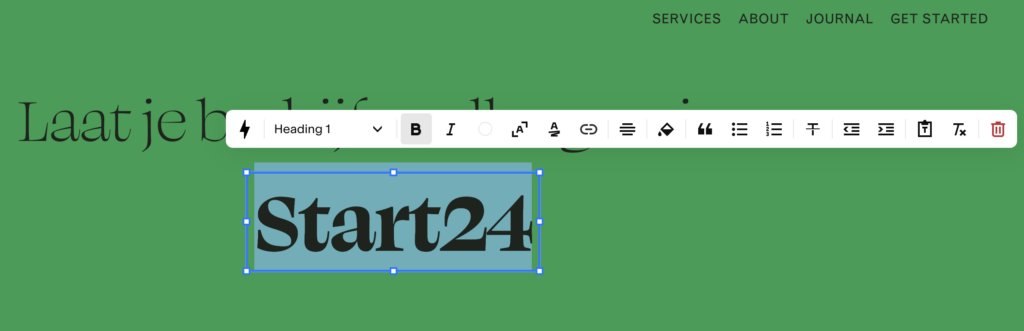
It's a drag-and-drop system that you should be able to master completely within a few hours.
You work with a grid on which you can freely place site elements such as buttons, images, and text. This gives you quite a bit of flexibility with the design of your site.
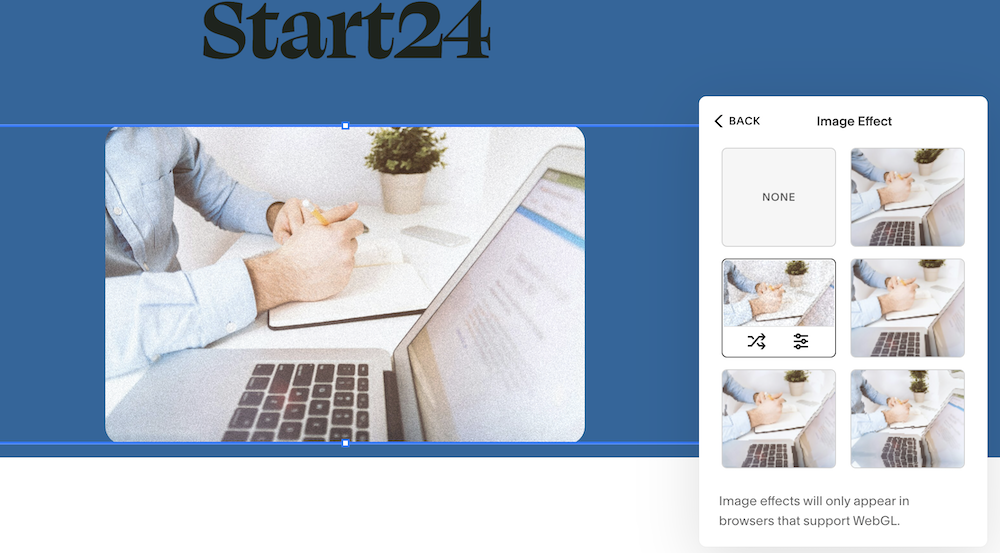
What I also found quite nice are the effects you can add to your images, such as a grainy film effect. This way, you can easily give your site a unique character.
For beginners it might feel overwhelming, but you also have ready-made webpage components that you can drag straight into your design. All you then need to do is adjust the text and images.

The Squarespace Editor is not perfect. For instance, I found it a curious choice that there is no auto-save option and that when you save a change, this change is immediately published on your site.
Regardless, I found it to be one of the better editors I've tested among website builders.
Ecommerce functionality
Since 2013, you can develop an online store with Squarespace.
In all fairness, I believe there are better webshop platforms available than Squarespace. However, if you want to sell a handful of (digital) products at some point, then Squarespace's ecommerce functionality is sufficient.
SEO and blog opportunities
Regarding SEO functionality, Squarespace covers the basics. Don't expect to be able to add Schema to your pages or have Rank Math-like configuration options, but you can fairly easily do things like setting meta titles and meta descriptions.
As long as your site is well-structured, it should be easily found on Google.
Squarespace is, however, not suitable when organic traffic is critically important to you and you're operating in a competitive niche.
In addition to the SEO options of the platform being modest, it is not developed enough in terms of blogging capabilities.
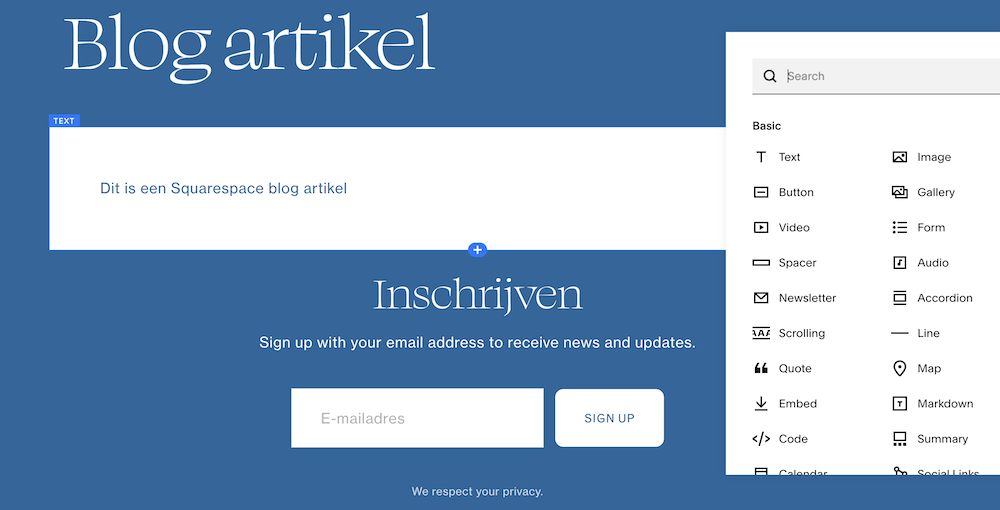
Among website builders, Squarespace scores very well for its blog functionality, but as could be predicted, it falls short when compared to WordPress.
Customer service: excellent in my experience, but there are many complaints from users
Squarespace is available 24/7 via live chat.
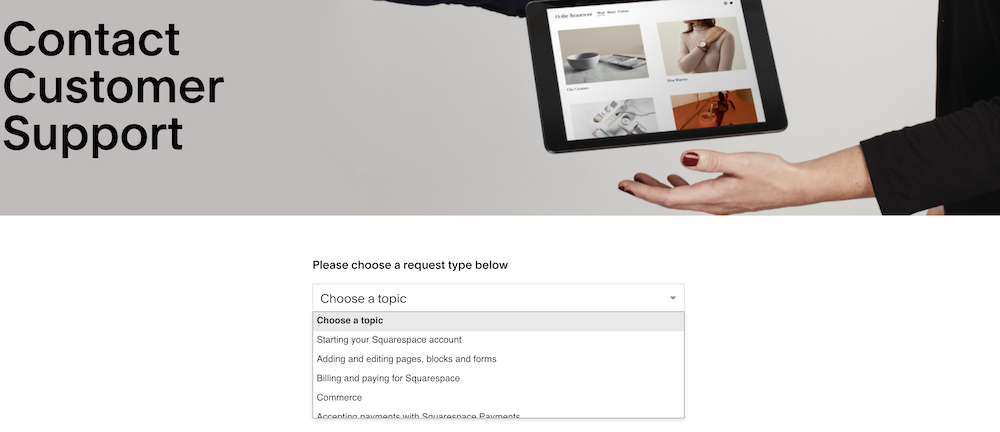
You first choose a topic and then (usually) a sub-topic.
Squarespace, like many other companies, tries very hard to keep you away from a real human being and instead attempts to direct you to the appropriate knowledge base article.
Squarespace also uses a chatbot.
Personally I can't blame them for this, and I myself wasn't too bothered by it. The knowledge base articles I was directed to were sufficient, and when I really wanted to speak to a human, I managed to do so within 15 minutes.
Having said that, Squarespace's customer support is quite criticized by users (more on this later). Personally, I would describe their support as “fine.”
Website speed: not good
I tested a few Squarespace websites for their speed and the results were nothing to write home about.

None of the sites I tested passed the Core Web Vitals. And mobile Google PageSpeed scores were typically below 40, which is very low.
To what extent are these poor speeds a problem in practice? I would say that in highly competitive niches it can work to your disadvantage, but when you expect little more from your site than providing a nice “online presence,” the slow loading times don't matter as much.
Since Squarespace is a closed system, and you can't tinker with your hosting or cache settings, you have few options to improve the speed.
Examples of websites made with SquareSpace
Caylonhackwith.com

Gretelny.com
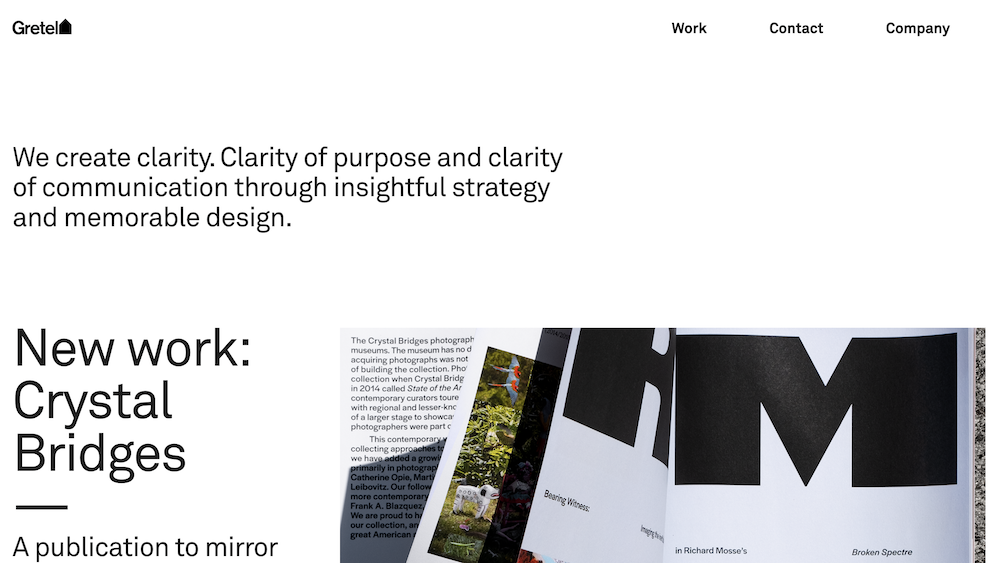
Pilatesbyamanda.com

SquareSpace costs: it's not the cheapest option
You can try Squarespace for free for 14 days but after that you'll need to switch to a paid plan.
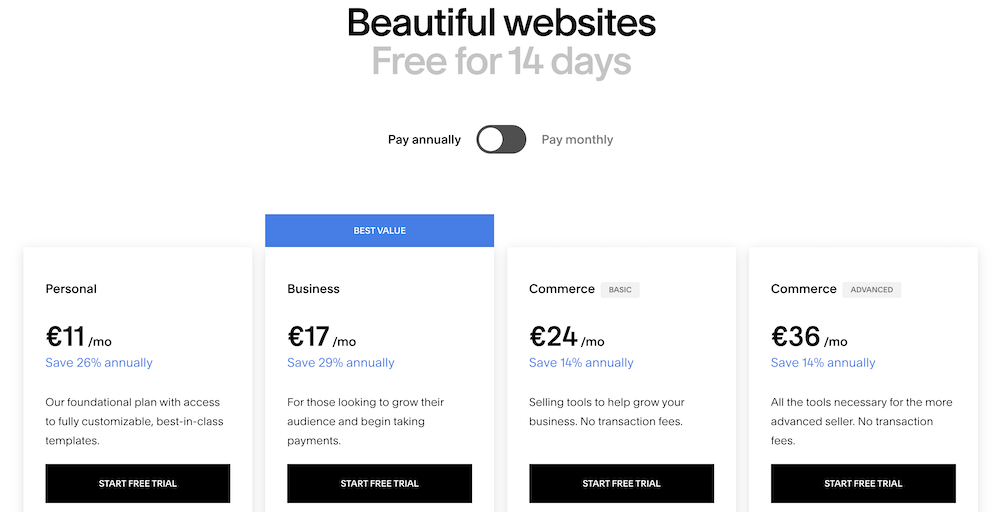
For the cheapest plan, Personal, you pay €11 per month (when you pay a year in advance).
For a simple (business) online presence, this plan offers relief. But from the Business plan (€17 per month) onwards, you get access to ecommerce functionality, a free Google email account for one year, and commercial features such as adding popups.
If you're reading this, I'm guessing this is the most suitable plan for you.
Squarespace claims to offer unlimited bandwidth. I would take this with a grain of salt, because in the world of hosting, there's no such thing as “unlimited.” And when your site starts growing significantly at some point, you can count on receiving a friendly yet urgent request from a Squarespace employee to upgrade to a more expensive plan.
Who is Squarespace suitable for and who should avoid it?
Squarespace is most suitable for simple personal or business websites and basic online shops.
It particularly appeals to creative individuals who want to present their work in the most attractive way possible.
Although Squarespace has a blogging feature, it's only suitable for simple business blogs.
Avoid Squarespace for sites with more complex design or functionality needs. Also steer clear of Squarespace if you feel uncomfortable with the idea that a single company essentially has complete control over your site.
Squarespace – unlike WordPress which is open source – is a closed system. If they raise their prices? You have nowhere to go. At most, you can rebuild your site from scratch on another platform.
These considerations essentially apply to every other website builder: you're offered convenience in exchange for freedom.
For many people, this is absolutely no problem and is a relatively small price to pay. But if you want complete authority and control over your site, you should use WordPress.
Squarespace as a domain name provider
In 2023, Squarespace acquired Google Domains, of which I was a user.
Unfortunately, Squarespace totally jacked up the prices:
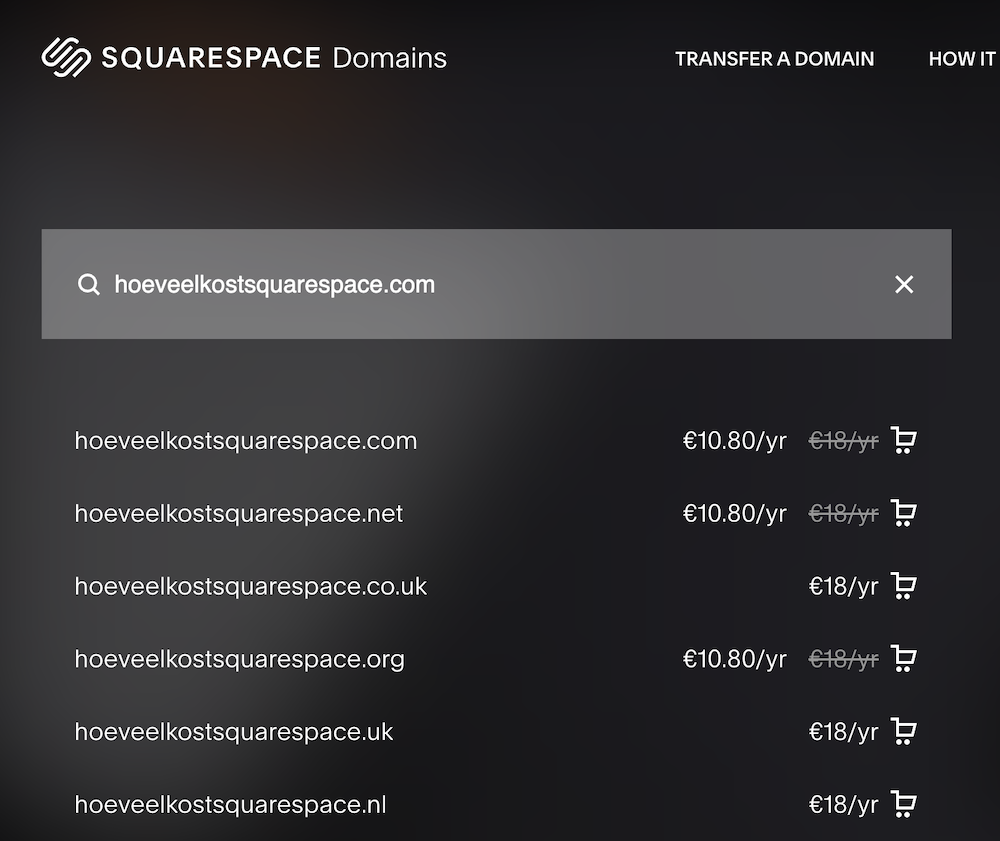
€18 euro for a .com or .nl is downright outrageous, and the fact that Squarespace describes these as “low” prices is laughable.
If you own just a single domain name, you might consider simply hosting it with Squarespace for convenience. But once you're managing multiple domains, use a service like Cloud86 for .nl and .be domain names and Cloudflare for .com and .org domain names.
What do users think of Squarespace?
Squarespace is a good example of a company that shows user reviews can sometimes be completely irrelevant or miss the point entirely.
On TrustPilot, Squarespace performs very poorly with a score of 1.4/5 after 1000 reviews, while on G2 it scores excellently with a rating of 4.5/5.


Here are a few examples of both negative and positive sounds:
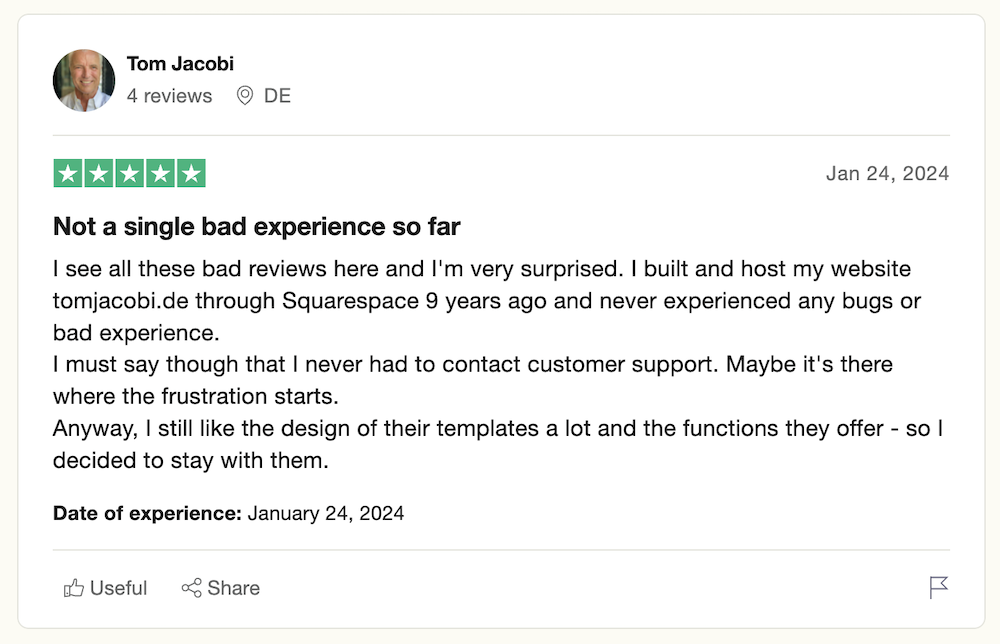

The people who are complaining are mainly doing so about the support.
Conclusion: Squarespace is excellent for creative individuals who want a simple site and have a decent budget
Squarespace is an excellent website platform which, thanks to its sleek designs and useability, particularly appeals to creative individuals who want to present their work in a beautiful way.
I found the Squarespace Editor to work well and intuitively, although there are a few strange product choices made here (including regarding saving your work). But complaining about this is really making a mountain out of a molehill.
Like most website builders, Squarespace is quite pricey, and you naturally sacrifice a lot of freedom by going with their closed ecosystem instead of hosting and managing your site yourself through a CMS like WordPress.
For users who simply want to get a sleek website online without any hassle, this doesn't need to be a problem.