The 63 Best WordPress Plugins: The Complete Guide

This article tells you everything you need to know about WordPress plugins.
First, we'll look at the top 63 best plugins, divided into 12 categories. Then, we'll explore how to use WordPress plugins smartly for your website. After that, I'll share which plugins we've installed on WebsiteGecko ourselves, and finally, I'll answer frequently asked questions about plugins.
The 63 best WordPress plugins (for every category)
- SEO
- Caching / Speed Optimization
- Security
- Backup / Website Migration
- Page builder
- Popup
- Events and calendar
- Reservation System
- Live chat
- Membership
- Directory
- Other
The plugin you'll find at the top of each category is the WordPress plugin I personally use for my websites (or would use if I needed it).
Note: this doesn't make the plugin the best of its kind for all situations. One of the other plugins might better match your specific needs. Before choosing a plugin, make sure you also look at the alternatives I mention.
SEO plugins
As a website owner, you probably want to attract organic search engine traffic to your website. An SEO plugin can help you with this.
A plugin like this not only lets you know if your content is up to par in terms of on-page optimization, but can also help with adding schema markup to your pages. This can make it easier for search engines like Google to interpret your content, while also making your search results appear more attractive (for example, by displaying review stars).
You can also set up 301 redirects and manage your internal links with an SEO plugin.
1. Rank Math
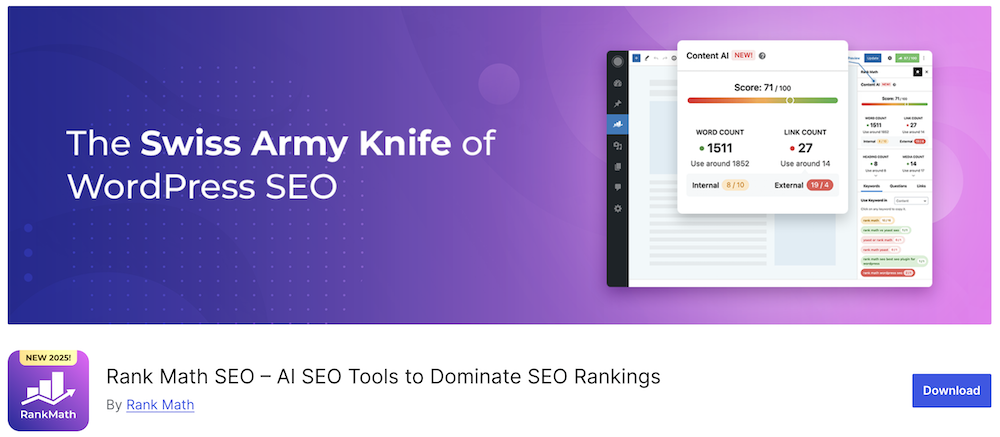
Active installations: 3+ million
User rating: 5/5 (7,000+ reviews)
Cost: Free, Pro version starts at $84.87 per year
Rank Math has grown within just a few years to become one of the most widely used and highest-rated SEO plugins in the world.
The plugin has a free version that's more comprehensive than the paid versions offered by most of their competitors. Despite its extensive functionality, Rank Math is incredibly lightweight, meaning it has minimal impact on your website's speed.
Here are several things that make Rank Math such an excellent SEO plugin:
- Super easy to set up. There is a wizard that does all the configuration work for you. You can also use it to transfer settings from other popular SEO plugins, if you're already using one.
- Google Schema integrated. Use a different plugin from this overview, and you'll need to install a separate plugin for this.
- Google keyword ranking tracker. See how your Google keywords are performing right from your WordPress dashboard.
- Useful on-page optimization assistance. Save time optimizing your pages.
- Google Analytics and Google Search Console integration. Ensures your data is as accurate as possible.
- Modular approach. Rank Math is an extremely comprehensive plugin, and you probably won't need all of its functionality. You can disable the features you don't need, making the plugin even lighter and more efficient.
Rank Math is one of the plugins I have installed by default on all my WordPress websites.
2. Yoast
Yoast still reigns supreme in the world of SEO plugins, with over 5 million installations. It was founded by Dutchman Joost de Valk.
It's a more than decent plugin, but in my opinion it's been surpassed by Rank Math, which is both lighter and offers more features.
3. The SEO Framework
The SEO Framework is another Dutch SEO plugin. It's significantly less well-known than Rank Math and Yoast and takes a different approach: it's an extremely lightweight and minimalist plugin that offers only the essential SEO functionality.
That being said, thanks to its simplicity, the plugin is just as suitable for beginners – not just experienced users looking for the most minimalist solution possible.
4. All In One SEO
All in One SEO has been around since 2007, making it the oldest SEO plugin. With over 3 million active installations, it remains the second most popular SEO plugin after Yoast.
There are still countless people who swear by it. The plugin is good but nowadays falls short compared to the alternatives you'll find in this overview.
5. Redirection
Redirection is the most popular redirect manager for WordPress. You can easily create 301 redirects with it and monitor 404 errors.
Some of the plugins mentioned above have 301 redirection functionality, but none work as effectively as this free plugin.
Caching and speed optimization plugins
The speed of your WordPress site is largely dependent on your hosting. However, there are many other factors that can impact it as well.
Caching plugins make your website faster with minimal effort. Every site should be using one.
Caching ensures that WordPress doesn't need to go through numerous steps to display a page to a user. Instead of the system having to retrieve a page from the database each time, your caching plugin creates a copy of the page after it's loaded for the first time, and then shows this copy to every subsequent visitor who requests the page.
The result is a website that not only scores better on speed tests like PageSpeed, but also feels faster for your visitors.
6. LiteSpeed Cache

Active installations: 6+ million
User rating: 4.8/5 (2,500+ reviews)
Cost: Free
LiteSpeed cache is easily one of the best caching plugins available on the market. One thing to note: your hosting provider must use LiteSpeed servers to fully benefit from this plugin. Cloud86 is an example of a Dutch hosting provider that does this.
When using caching plugins, you can't avoid diving into some technical jargon, so here goes. These are some of the most interesting features of LiteSpeed cache:
- Free access to QUIC.cloud CDN
- Object cache support (Memcached/LSMCD/Redis)
- Image optimization (including conversion to WebP)
- Minimize CSS, JavaScript, and HTML
- Combine CSS and JS
- Lazy-load images
- Defer JavaScript loading
- Browser Cache Support
- Database Cleanup and Optimization
Don't worry if none of this makes much sense to you. You don't necessarily need to mess around with all these features: just use LiteSpeed cache's default settings and you'll instantly have a site that's much faster than before.
7. FlyingPress
FlyingPress is a premium WordPress caching plugin created by Gijo Varghese, a well-known developer in the WordPress community who runs the WP Speed Matters Facebook group.
Unlike LiteSpeed cache, this plugin works with any type of server your hosting provider uses.
8. WP Rocket
WP Rocket is by far the most well-known caching plugin available. It's a solid option, but it's espensive. Additionally, the plugin has been surpassed by the two plugins mentioned above in terms of both features and speed.
9. SG Optimizer
SG Optimizer is the caching plugin you'll want to use if you're using SiteGround. You can use the plugin with other hosting providers as well, but you won't get much benefit from it since this is a server-side caching plugin.
10. W3 Total Cache
W3 Total Cache is a free caching plugin. I would only consider using this if your host doesn't use LiteSpeed servers and budget is a major concern. In this case, free means lower quality.
Learn more about caching plugins here.
Security plugins
WordPress security is something you simply can't ignore. Here's an unpleasant statistic: every day, more than 100,000 websites are hacked. Most of these are WordPress websites.
When it comes to WordPress security, you can go a long way by following these guidelines: choose good hosting and keep your WordPress installation, theme, and plugins up-to-date.
For the finishing touch, it's a smart move to install a WordPress security plugin.
11. SG Security

Active installations: 1+ million
User rating: 4.6/5 (150+ reviews)
Cost: Free
SG Security is another free plugin that's developed by SiteGround. However, you can use this plugin with any web host.
Here are some security features you can use with this plugin:
- Lock down your system files. This prevents third parties from easily running malicious scripts on your website.
- Hide your WordPress version. Hackers scan and identify websites based on their WordPress version.
- Login access. Ensure that only specific IP addresses can log in to your site.
- Two-factor Authentication. Generates a token through Google Authenticator to access your site.
- Limit login attempts. Ensures that a user can only try to log in a limited number of times. When this number is exceeded, the IP address is blocked for a specified period of time.
The plugin is extremely easy to use and guides you step by step by making recommendations for which settings you should use.
12. iThemes Security
iThemes Security is one of the longest-standing WordPress security plugins. It offers a comprehensive range of features while remaining user-friendly for beginners.
The theme has a free version, but it's quite limited. Choose the paid version to get the most out of this tool.
13. Wordfence
Wordfence is the most popular WordPress security plugin with over 4 million installations. It's available in both free and paid versions.
It's a very good plugin, although their dashboard looks somewhat outdated.
14. Sucuri
Sucuri is an authority in website security and specializes particularly in WordPress protection.
Their WordPress plugin has the features you'd expect, but users are less enthusiastic about it compared to the plugins mentioned above.
Something that probably doesn't help is that Sucuri has been owned by GoDaddy since 2017, a behemoth of a company that I would avoid if at all possible.
15. Hide My WP
Hide My WP is a budget-friendly WordPress security plugin available for download through Envato. While it's a popular plugin, it falls just short of making it into the top 3 of this overview.
Backup and website migration plugins
Any decent hosting provider offers automatic daily backups that are kept for at least 7 days (if your hosting provider doesn't offer this, I recommend switching to a different one).
Having said that, it's always wise to have an external backup solution to fall back on. Although the chances are slim, something could always go wrong with the server where your site and its backups are stored.
There are two ways to approach this:
- You can install an external backup plugin that automatically creates backups and sends them to cloud storage or your own computer.
- You can use a migration plugin that allows you to manually create backups at set intervals.
I personally opt for the second option because the first one can put considerable strain on your server resources. Additionally, it saves you quite a bit of money. An external, automated backup plugin can end up being quite expensive.
Whichever path you choose, below you'll find the best backup and migration plugins for WordPress.
16. All-in-One WP Migration

Active installations: 5+ million
User rating: 4.5/5 (7,000+ reviews)
Cost: Free
All-in-One WP Migration is a no-nonsense WordPress migration plugin that I consistently use for both cloning websites and creating manual backups.
One of the things I appreciate most about this plugin is its ease of use. Unlike some similar plugins, All-In-One WP Migration is super straightforward. You click the export button, the plugin plans your site into a compact bundle, and you can then upload and unpack it in seconds via the import button whenever needed.
I personally use the free version of the plugin, but if you want, you can enhance it with several paid extensions:
- Unlimited extension (for increased maximum upload size)
- Google Drive extension (to automatically send backups to Google Drive)
- Dropbox extension (to automatically send backups to Dropbox)
The plugin is extremely popular among bloggers, but also counts enormous companies such as Boeing, NASA, and IBM among its customers.
17. BackupBuddy
BackupBuddy is a plugin from the previously mentioned iThemes. It automatically creates a complete backup of your WordPress website, sends this backup to a secure off-site location, and allows you to restore your WordPress site from there with just a single click.
It's an excellent product, but it's not cheap.
BackupBuddy does not offer a free version.
18. UpdraftPlus
UpdraftPlus excels in the variety of cloud storage options they offer. It is used by more than 3 million websites.
The plugin offers an excellent free version, but if you opt for the Pro edition, you'll gain access to features such as incremental backups, multisite support, multiple backup locations (like OneDrive, Azure, Backblaze), and database encryption.
19. BlogVault
BlogVault is a backup plugin that also provides free access to a staging environment where you can safely test new designs and features for your WordPress site.
Backups are created incrementally, minimizing the impact on your server resources.
20. Duplicator
Duplicator is a migration and backup plugin used by more than a million websites. You can migrate WordPress sites between different domains and web hosts without experiencing any downtime.
Read more about backup and migration plugins here.
Page builder plugins
Page builder plugins allow you to create any page you can imagine using a simple drag-and-drop tool.
A page builder plugin is essential when you want complete freedom over your website's design.
You can classify page builder plugins into two categories:
- Page builder plugins that function as extensions for the WordPress Gutenberg editor.
- Page builder plugins that don't work with Gutenberg and instead inject their own unique code into your site.
Within this second category, we find the page builders that reign supreme. They are by far the most popular, and the user experience of these tools is typically more refined than that of Gutenberg-oriented page builders.
These page builder plugins have a significant drawback, however: they make your site considerably slower.
For this reason alone, I recommend using a page builder plugin that's built around Gutenberg.
21. Kadence Blocks
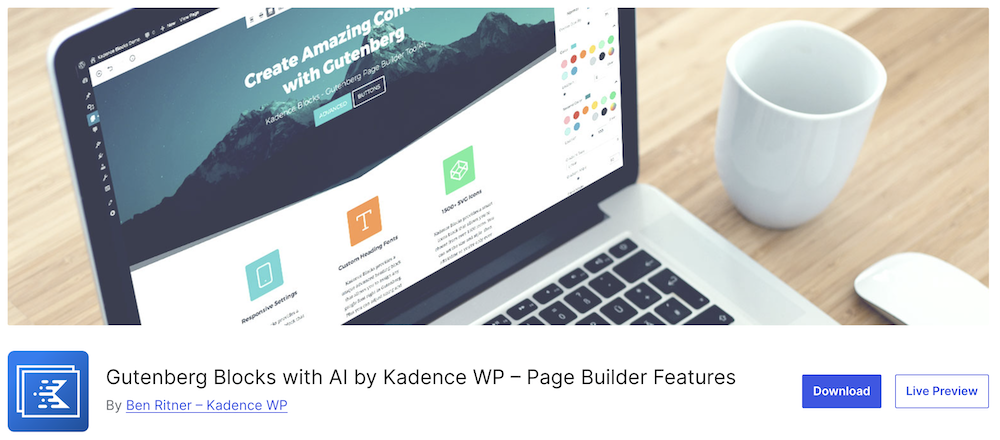
Active installations: 500,000
User rating: 4.8/5 (250+ reviews)
Cost: Free
Kadence Blocks is an incredibly powerful page builder plugin that gives you virtually complete freedom over the design of your pages.
It's an extension for the Gutenberg editor. You can use it in both your pages and your posts.
The plugin is lightweight, easy to use, and works perfectly with most other popular themes and plugins.
Among the blocks (elements you use to build your site) that you get free access to are:
- Row layout. Create rows where you can place different columns. You can customize these in various ways to suit your preferences: for example, by changing the background color and adjusting the padding and margins.
- Advanced gallery. For photo galleries, carousels and sliders.
- Form. There's no longer any need to use a separate email form plugin.
- Advanced button. Create buttons that convert exceptionally well. Customize the color, corner radius, and border to suit your needs.
- Accordion. Hide content in beautiful accordions.
And there are many, many more blocks available like these.
This free plugin has more to offer than many paid counterparts. It's easily one of the best new plugins in recent years.
You can view the Pro version of this plugin here.
22. GenerateBlocks
GenerateBlocks essentially does the same thing as Kadence Blocks. This plugin isn't necessarily better or worse – it's just different.
When I tried both, I found Kadence Blocks more pleasant to work with, but this is really just a matter of personal preference. Countless WordPress developers I know swear by GenerateBlocks.
23. Blocksy Companion
Blocksy Companion is used with the Blocksy theme, which, like Kadence and GeneratePress, is built around Gutenberg.
I haven't personally tested Blocksy, but I've heard very good things about it from users.
24. Divi
Divi is one of the most popular premium themes in the world. Their theme combines a WordPress theme and page builder in one. However, they also offer their page builder as a standalone plugin that you can connect to any WordPress theme of your choice.
25. Elementor
Elementor has been the most popular page builder in the world for years. It works excellently and remains hugely popular, but if you're new to website building, I would recommend skipping it and choosing a Gutenberg page builder instead.
Popup plugins
By strategically using popups, you can increase your conversions while not annoying your visitors too much.
However, many good popup plugins come with a hefty price tag. Fortunately, there's a way to design beautiful popups without breaking the bank.
26. Kadence Conversions

Active installations: N/A
User score: N/A
Cost: Included with Kadence Pro
You'll notice Kadence appears quite frequently throughout this overview. It's a suite of products that has made many standalone plugins unnecessary.
When you purchase Kadence Pro, you'll gain access to Kadence Conversions. This premium plugin allows you to add lightweight popups, sales banners, and slide-ins to your pages.
A few of my favorite features:
- Design with Kadence Blocks. There's no need to learn a new tool. You can build your popups using the familiar Kadence Blocks interface you already know and trust.
- Extensive options for when the popup appears. For example, when a visitor is about to leave your page, or when they've scrolled to a certain depth.
- Easy to set up pop-ups on any page you want. Add them to specific page categories while also being able to create exceptions.
- Simple but solid statistics dashboard. In terms of numbers and statistics, Kadence Conversions doesn't go as far as some other options on this list, but it's sufficient for my needs.
27. ConvertBox
ConvertBox is one of the most powerful popup tools available. It offers extensive segmentation options and analytics, making it an excellent choice for experienced marketers.
It's not the cheapest solution, but they do offer an attractive lifetime deal.
28. Popup Maker
Popup Maker is an excellent free popup plugin with no frills. They also offer a premium version that comes with a reasonably attractive price tag.
This plugin is used by more than 700,000 sites and has a perfect 5/5 rating among its users.
29. OptinMonster
OptinMonster is an absolute beast of a popup plugin. With over a million customers, it offers the most extensive and advanced features of any popup plugin in this overview.
One thing that rubs me the wrong way about them is their pricing structure. It's determined partly based on your website traffic. Once you receive, say, 25,000 visitors, you're already paying $29 per month. This can really add up over time.
30. Elementor Pro
With Elementor Pro, you have many possibilities at your disposal. They also offer a popup maker, for instance. It's not as comprehensive as those offered by other providers in this overview, but it's still an excellent option—especially if your site is still relatively small.
Events and calendar plugins
An events and calendar plugin is essential when you're organizing events.
These types of plugins come in many shapes and sizes. Some are complex and have built-in RSVP and ticket purchase functionality, while others simply display the date of an event.
31. The Events Calendar

Active installations: 700,000+
User rating: 4.3/5 (2,000+ reviews)
Cost: Free, Pro version starts at $99
The Events Calendar is the most popular and highest-rated plugin of its kind.
It is used by hundreds of thousands of small businesses, musicians, restaurants, and non-profits who promote their physical and virtual events on their websites through The Events Calendar.
The Events Calendar allows you to easily add events and manage organizers and venues.
If you'd like to sell tickets for your events as well, you can do this through one of their paid add-ons.
32. Eventin
Eventin is a relatively new plugin that hasn't gained much traction yet. However, the plugin has received excellent ratings (5/5 stars).
The communication surrounding this plugin is somewhat less polished (see the broken English on the plugin page), but the plugin itself is exceptionally well put together.
33. Tickera
Tickera focuses exclusively on digital ticket sales and delivery.
It features barcode reader software that allows you to check in attendees at physical events. You can do this using a standalone barcode scanner or through the Tickera app for iOS and Android – even when you're not connected to the internet.
A major advantage of Tickera is that you collect all the profit from ticket sales. You don't have to pay any percentage to the company.
34. Amelia
Amelia is used by 40,000 businesses and facilitates more than 330,000 appointments and events each month.
Among the types of businesses that use it are salons, consultancies, and gyms.
35. WP Event Manager
WP Event Manager is a lightweight, user-friendly events plugin for both virtual and physical events.
Reservation system plugins
Through a booking system, visitors can schedule an appointment with your business directly from your website.
Some of these plugins focus specifically on one type of business (such as restaurants), while others are all-rounders that cater to all types of businesses.
36. Appointment Hour Booking

Active installations: 20,000+
User rating: 4.9/5 (500+ reviews)
Pricing: Free, Pro version starting at €5.99 per month
Appointment Hour Booking is the highest-rated booking plugin available.
As with many plugins in this overview, it offers a free version. However, when reservations are an integral part of your business, it's worth looking into the pro version.
With the Pro version, you get payment integrations with systems like PayPal, Strike, and iDeal, among other features.
The plugin is a versatile all-rounder that's suitable for various types of businesses:
- Medical Services
- Personal training sessions
- Event Spaces
37. Five Star Restaurant Reservations
For restaurants, the Five Star Restaurant Reservations plugin is one of the best reservation systems you can find.
It works great on both desktop and mobile devices, allowing you to accept or decline reservation requests in real-time.
38. BirchPress
BirchPress is a premium plugin with no free version. It was designed with developers in mind. You can easily add your own functionality through functions, action hooks, and filters without having to modify the core code.
39. Booking Calendar
Booking Calendar is a reservation plugin that has stood the test of time. It has been around since 2009 and has been downloaded more than 2 million times since then (although the number of active installations today stands at 50,000+).
The plugin integrates seamlessly with WordPress Gutenberg. Additionally, all bookings and reservations are stored directly in your own WordPress database.
40. Booking Activities
Booking Activities is an excellent reservation plugin that's somewhat less well-known than the other options in this overview. The plugin is only used on approximately 4,000 WordPress websites. Booking Activities specializes in booking activities and events.
Live chat plugins
Live chat is the perfect way to establish a direct connection with your website visitors. People appreciate being able to contact a business easily. Plus, it's much more cost-effective than maintaining telephone support.
The better live chat plugins are lightweight, easy to use, include a chatbot feature, and offer integrations with platforms like Instagram and Messenger.
41. Tidio

Active installations: 100,000+
User rating: 4.8/5 (400+ reviews)
Pricing: Free, Pro version available for €29 per month
Tidio is an extremely user-friendly live chat plugin. What's more, it's incredibly versatile. It offers live chat, chatbots, and can be integrated with Instagram, Messenger, and email. This allows you to manage all these different customer channels from a single dashboard.
These are my favorite features of Tidio:
- Discover who's visiting your website, which pages they're viewing, and easily connect with them to increase your chances of conversion.
- It works on your browser, desktop, or mobile device.
- Customize the appearance of the chat widget to match your website seamlessly.
- Tidio offers iOS and Android apps so you can easily chat with your visitors while you're on the go.
- Choose from more than 10 chatbot templates, designed for various purposes including abandoned shopping carts, offering discounts to returning customers, and collecting leads.
- Drag-and-drop visual editor to build your own chatbots. No coding required.
Furthermore, Tidio offers 24/5 customer support, which is convenient for such an essential component of your business.
42. LiveChat
LiveChat is a paid live chat plugin without a free version. While it may not be the most budget-friendly solution, it does offer a wide range of extremely powerful features in return.
This allows you to send targeted messages to your visitors when their shopping cart is inactive, and it integrates with Zendesk, Messenger, HubSpot, WhatsApp, Mailchimp, Salesforce, and many more platforms.
43. 3CX Free Live Chat
3CX Free Live Chat offers a unique feature: during a live chat, you can switch to a video call to solve your visitors' problems more quickly.
The 3CX interface looks a bit more dated than its competitors, but it's nevertheless an excellent plugin.
44. Sendinblue
Sendinblue is email marketing software that also offers live chat for WordPress websites through their product called Conversations.
It's an interesting option for website owners who want to manage their email marketing and live chat through a single tool.
45. HubSpot
HubSpot is a massive player in the sales industry. They're well-known for their CRM and email marketing tools, but they also offer live chat services.
Consider them if you're part of a medium to large company.
Read more about live chat plugins here.
Membership plugins
If you want to hide specific content on your WordPress website behind a paywall, there are numerous membership plugins available to accomplish this.
Choosing the right plugin here is crucial as a better platform can offer more opportunities for growth.
46. LearnDash

Active installations: N/A
User score: N/A
Cost: Starting at $199 per year
LearnDash is perfect for offering online courses. It's used by big names like Yoast and Tony Robbins while remaining surprisingly affordable.
Here are several features that make this plugin an interesting choice:
- Complete payment flexibility. One-time payments, subscriptions, memberships, bundles and more.
- Access to any payment system. PayPal, Stripe, iDeal and 300+ others through WooCommerce.
- Automatic renewal reminders. Automatically notify your customers when they need to renew their membership to maintain access to your content.
- Progressive content access. Don't provide immediate access to all your content, which helps reduce the likelihood of users requesting refunds through the money-back guarantee.
Additionally, you can provide your students with certificates upon completion of your course.
47. MemberPress
MemberPress is one of the most popular WordPress membership plugins. It's ideal for putting content behind a paywall.
It has a broader approach than LearnDash, but if you want to sell online courses with it, you'll need to do so through an additional add-on.
Moreover, you can also use the two tools together. This can be convenient because LearnDash offers somewhat more advanced features when it comes to courses.
48. WooCommerce Memberships
WooCommerce Memberships integrates perfectly with the WooCommerce plugin. It essentially functions the same way as MemberPress.
49. Simple Membership
A benefit of Simple Membership is that it's completely free, which isn't the case for the other membership plugins in this overview.
The plugin is somewhat limited, but it allows you to easily make pages and posts accessible only to visitors with a membership. You can set up payments through PayPal, Strike, or Braintree.
50. aMember Pro
aMember Pro is a premium plugin that requires a one-time payment. It's an attractive option when you don't want to add another recurring payment to your arsenal of business expenses.
The plugin is somewhat more limited compared to the other paid options. Additionally, the interface desperately needs a facelift.
Directory plugins
A directory is a somewhat vague term. However, at their core, directories function in the same way, whether they're providing business-related or personal information based on location or category.
TripAdvisor is an example of a popular directory, but the same goes for Craigslist, which is structured completely differently.
To turn your WordPress website into a directory site, take a look at one of the following plugins.
51. GeoDirectory

Active installations: 10,000+
User rating: 4.7/5 (650+ reviews)
Cost: Free, Pro version starting at $99 every 4 months
GeoDirectory allows you to transform any WordPress site into a fast, powerful directory. It's a versatile tool that lets you convert your site into a:
- Business directory
- Job platform
- Real Estate Website
- Classifieds website
- Restaurant finder website
- Hotel search website
And much more.
The plugin works with Gutenberg, Elementor, Beaver Builder, Divi and Oxygen.
52. Connections Business Directory
Connections Business Directory combines user-friendliness with several unique features. You can use it for both a small site with just a few things you want to showcase, as well as a site containing thousands of listings, such as hotels.
The plugin has a free version but also offers multiple paid add-ons.
53. Classified Listing
Classified Listing is a relatively new but one of the highest-rated directory plugins, boasting a perfect 5/5 star rating.
54. Directories Pro
Directories Pro is a premium plugin available through Envato for $39 per year. It allows you to create virtually any type of directory, including platforms similar to Yelp or Yahoo! Local.
55. Business Directory Plugin
Business Directory Plugin offers a free version, which is always nice. It's an easy-to-use plugin that allows you to create complex directories without any technical knowledge.
Miscellaneous
Finally, I'd like to mention a few more of my favorite plugins that don't fit into any of the categories listed above.
WooCommerce
There's really only one truly good way to transform your WordPress site into an online store, and that's WooCommerce. This free plugin offers everything you need for simple online shops, but for more advanced functionality, you can always look into one of their premium add-ons.
If you're planning to create an online store with WordPress, check out our WooCommerce guide here.
57. Advanced Custom Fields
Advanced Custom Fields helps you transform your WordPress site into a full-fledged content management system. Build your own database and add fields anywhere you want in your WordPress site: in your posts, pages, and categories.
58. Post Duplicator
Post Duplicator clones a page or post on your website with a single click.
59. Kadence Pro
Kadence Pro is the plugin that takes the Kadence theme to the next level. With Kadence Pro, you get access to hooked elements, mega menus, and more. You can also develop and sell child themes with it.
Kadence Blocks – Pro Extension
Kadence Blocks – Pro Extension includes pro blocks such as dynamic content and the ability to use your own custom icons.
61. Pretty Links
For affiliate marketers, Pretty Links is an essential plugin for managing and adding all your affiliate links. The plugin has a pro version, but the free version is more than sufficient in most cases.
62. Lasso
Lasso is a premium plugin that goes a step beyond Pretty Links. You can use it to manage your affiliate links, but the plugin also provides access to high-converting affiliate product boxes. They offer Amazon integration as well.
63. Sticky Menu & Sticky Header
Sticky Menu & Sticky Header allows you to make any element on your website “sticky” so it moves along as your visitor scrolls down the page. This is useful for emphasizing elements like a sidebar with a CTA, for example. However, if you're using a theme like Kadence, this functionality is already built into the theme.
How did I select the plugins for this overview?
The plugins in this overview are, where possible, those I have personal experience with and use for my own websites.
For the remaining plugins, I looked at a combination of user reviews and the number of downloads. Additionally, I expect that every plugin is updated multiple times per year.
When evaluating plugins, I also consider who's behind them. I prefer teams or individual developers who are well-known names within the WordPress community.
It's also beneficial if a plugin offers a paid version. This increases the likelihood that the developer won't abandon the plugin in the coming years.
Is there such a thing as using too many plugins for a website?
Although technically you could install as many WordPress plugins as you want, I recommend following some WordPress plugin hygiene rules:
- Remove plugins you're not using. Unused plugins take up disk space in your hosting plan.
- Don't install multiple plugins that do the same thing. This can lead to conflicts between the plugins.
- Clean up your database from time to time. Even when you remove plugins, there are often still a few lines of code left in your database. Over time, this can slow down your website.
Here's my personal rule of thumb regarding WordPress plugins:
I use as few plugins as possible and think twice about every new plugin I want to install (can I achieve the desired result myself, do I really need this functionality, etc.).
No matter how you look at it, every additional plugin you install on your site brings the following risks and potential problems:
- Conflicts with other plugins or your theme. This is unavoidable, no matter how good the plugins you choose are. The more components you add to your site, the greater the chance that something will eventually cause friction.
- Developer abandons the project. When this happens without you noticing, you're exposed to a security risk (hackers can exploit vulnerabilities in outdated software). Additionally, you'll need to search for a replacement plugin, which takes time.
- Can slow down your site. Even lightweight plugins typically make your site a bit slower. When your site has dozens of plugins, you'll definitely notice the impact.
- The more plugins you have, the more troublesome troubleshooting becomes. When something breaks on your site, one of the first things to do is disable all your plugins and then reactivate them one by one to identify which plugin is causing the problem. I already find this extremely annoying with the 10-15 plugins I use on my own sites. I can't even imagine doing this with dozens of plugins.
These are all the WordPress plugins we use for WebsiteGecko
If you also have a blog or want to start one, here are all the plugins we use for WebsiteGecko:
- Advanced Custom Fields
- Code Snippets
- Kadence Blocks – PRO Extension
- Kadence Blocks – Gutenberg Blocks for Page Builder Features
- Kadence Conversions – Popups, slide-ins
- Kadence Pro – Premium addon for the Kadence Theme
- Kadence Simple Share
- LiteSpeed Cache
- Pretty Links
- Rank Math SEO
- Rank Math SEO PRO
In conclusion
This article serves as the ultimate guide to WordPress plugins. I hope you found it helpful.
Do you have any questions, or do you think there's an important plugin (category) missing from this overview? If so, please leave a comment below.