The 5 Best WordPress Themes of 2025

There are thousands of WordPress themes available. How on earth do you choose the best one for your WordPress site?
First and foremost, these are the key characteristics of a good WordPress theme:
- Future-proof. You want a theme where you can be reasonably confident that the developer or team behind it will continue to update it for years to come.
- Versatility. There's a good chance that at some point, you'll want to take your site in a different direction in terms of design and functionality. The best WordPress themes are flexible and multipurpose, allowing you to develop a wide variety of websites with them.
- User-friendliness. A theme should be intuitive. You shouldn't have to scour the internet just to make a simple change to your site.
- Speed. Your visitors love fast sites, and so does Google. A lightweight, well-coded WordPress theme leads to better conversions and higher rankings in Google.
- Design. Looks matter too. A good WordPress theme should be visually appealing and have a consistent design.
In this article, I'll tell you more about 5 WordPress themes that score exceptionally well on these points.
The 5 best WordPress themes of 2025
- Kadence – Most features and best speed
- Divi – Best for beginners
- GeneratePress – Best for developers
- Astra – Works seamlessly with page builders like Elementor
- OceanWP – One of the oldest and most stable WordPress themes
Kadence – Best WordPress theme for most people

Kadence is the newest theme on this list. Since its launch in 2020, it immediately created tremendous buzz within the WordPress community. We at WebsiteGecko eventually took the plunge ourselves. We migrated our site to Kadence in mid-2021 (thanks to Kadence being so user-friendly, this actually took just one day).
The hype around Kadence is easy to understand. First of all, the free version of Kadence offers more functionality than 99% of paid WordPress themes. The site you're currently browsing could be built almost entirely using the free version. This includes pages like our homepage, which features a completely custom-designed layout.
Additionally, Kadence is an extremely lightweight and fast theme. Since Google has placed increasing importance on sites with quick loading times over the past few years, it's vital to make your website as fast as possible. With Kadence, this is incredibly simple. Speed is built right into the theme. You don't need to perform all kinds of difficult technical maneuvers to get your site up to speed. This can't be said for the majority of WordPress themes.
Additionally, Kadence is very user-friendly. It comes with several pre-designed starter websites featuring different themes, which you can use if you don't want to build a site from scratch.
Settings related to your site's color palette, header and footer, and building your own pages are all things you can master with a few weeks of practice.
Although Kadence is a relatively new theme, the team behind it has been developing WordPress themes for years. All of their previous themes have consistently received extremely positive feedback within the WordPress community, and Kadence continues this tradition of excellence.
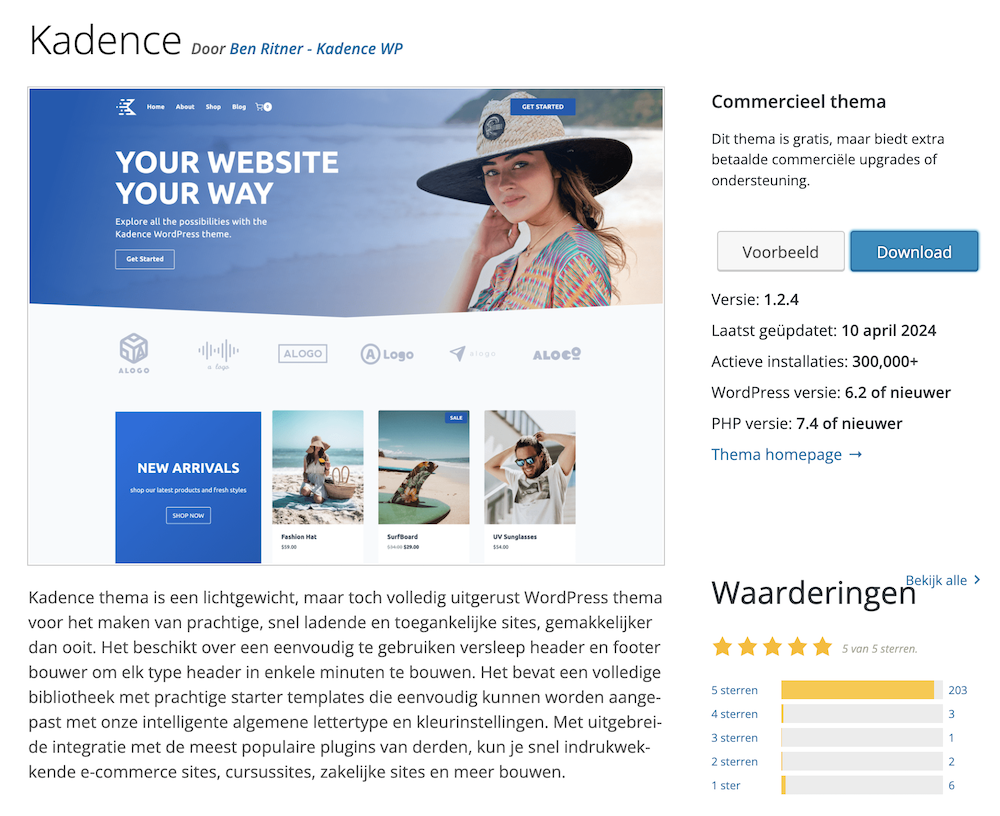
Check out our WordPress guide that shows you how to build a WordPress site using Kadence.
Note: In addition to having more functionality than the free version, the paid version of Kadence also offers premium support. This is extremely helpful if you're new to the world of website building.
Free version: Yes
Premium cost: Starting at $149 per year
Page builder: Yes (through Kadence Blocks plugin)
Check out our Kadence review for more details.
Divi – Best for beginners

Divi is the theme that WebsiteGecko previously ran on, until we switched to Kadence.
That doesn't mean I no longer have a soft spot for Divi. I enjoyed building websites with it for a long time. Kadence is just a bit faster and has certain functionality that Divi doesn't, but the importance of the latter comes down to personal preference.
With millions of downloads, Divi is one of the most widely used WordPress themes in the world. You can build virtually any website you can imagine with it. Because the theme has been around for years, there are countless hours of YouTube videos and hundreds of articles that thoroughly examine every aspect of this theme.
Additionally, with Divi you get access to 24/7 live chat support. I'm not exaggerating when I say this is the best customer support I've ever experienced. Their staff literally goes above and beyond to resolve any problems and questions you might have, even providing handcrafted code snippets for very specific design challenges.
This makes Divi an extremely good choice for beginners.
Additionally, with a Divi subscription, you'll get hundreds of ready-to-use website designs where you only need to customize the text.
Free version: No
Premium cost: $89 per year ($249 for lifetime access)
Page builder: Yes
Read our Divi review for more details.
GeneratePress – Best for developers
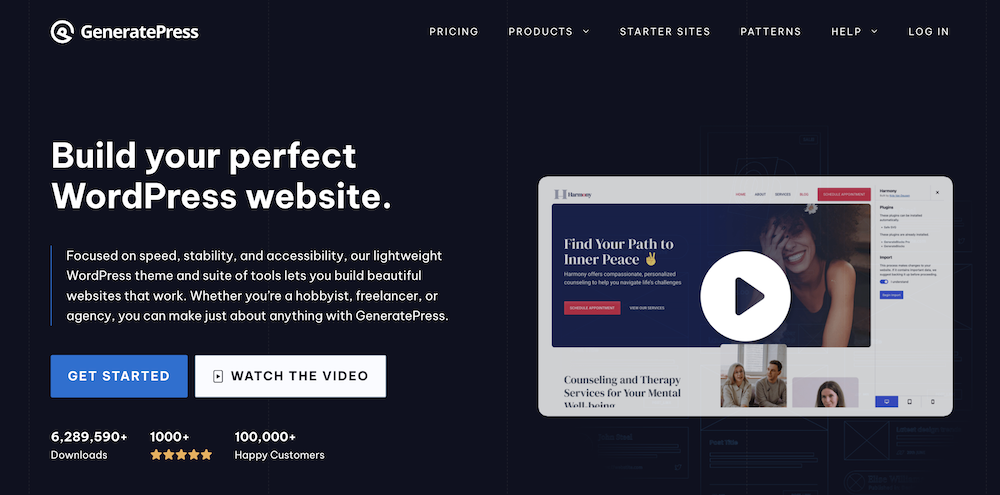
GeneratePress was one of the first lightweight multipurpose WordPress themes. It still tops the list of most used and highest-rated themes. To date, GeneratePress has been downloaded more than 5 million times.
GeneratePress is similar to Kadence in that it's designed to work seamlessly with the WordPress block editor (Gutenberg). This makes the theme incredibly lightweight, allowing you to create extremely fast websites. However, GeneratePress does have a significantly steeper learning curve.
The free version of GeneratePress offers fewer features than Kadence. On the flip side, their knowledge base and documentation is much more comprehensive, and the premium version costs significantly less.
The GenerateBlocks plugin also gives you a page builder that integrates perfectly with the theme. With this, you can design pages yourself using a drag & drop approach, without needing any technical knowledge.
Free version: Yes
Premium cost: Starting at $59 per year ($249 for lifetime access)
Page builder: Yes (through GenerateBlocks plugin)
Read our GeneratePress review for more details.
Astra – Works well with page builders like Elementor

Astra is one of the most popular WordPress themes on the planet with over one and a half million users. The theme is lightweight, highly customizable, and works exceptionally well with page builders like Elementor or Beaver Builder.
The theme has been around for years, which has allowed it to build an extensive knowledge base and video documentation.
Astra doesn't have a built-in page builder like Divi or an integrated page builder plugin like Kadence or GeneratePress. Most Astra users who want to design their own pages combine it with Elementor. Elementor is an extremely powerful tool that allows you to create beautiful pages, but keep in mind that using it will come at the expense of your site's speed.
Astra offers a free version, but it is extremely limited.

If you go with Astra, I recommend using the Pro version.
Free version: Yes
Premium cost: Starting at $49 per year ($699 for lifetime access)
Page builder: No
OceanWP – One of the oldest and most stable WordPress themes

I built my first WordPress website with OceanWP. Because of this, I still have a soft spot for this theme.
Apart from sentimental considerations: OceanWP can still rank among the top 5 best WordPress themes. The theme is lightweight, versatile, and easily integrates with page builders.
It is now used by more than 600,000 websites and has earned a 4.9 out of 5 star rating based on over 5,000 user reviews.
Why isn't this theme ranked higher in this article? Simply put, other themes have surpassed OceanWP in recent years. The interface is somewhat dated and the configuration options are a bit messier than what you would expect from a fully polished WordPress theme.
OceanWP is still better than 99% of themes on the market, but it no longer belongs to the absolute elite.
Free version: Yes
Premium cost: Starting at $49 per year ($199 lifetime)
Page builder: No
Free WordPress themes vs. premium WordPress themes
You might have read that you should never choose free WordPress themes, but should always opt for a paid (premium) WordPress theme instead.
This is correct in the sense that you should choose a WordPress theme that has at least a paid version available. If you select a theme that's completely free without a premium option, it typically lacks support. There's also a high likelihood that the developer will eventually stop updating the theme. When there's no revenue coming in, even the most enthusiastic WordPress developers will sooner or later throw in the towel.
Having said that, you don't need to spend a penny on today's best WordPress themes. The free version of Kadence, for example, is far superior to the majority of paid themes. Of course, you'll miss out on premium support and certain functionality, but the theme is perfect when you're working with a tight budget.
What is a page builder?
Earlier in this article, I discussed page builders. Here I'll explain exactly what a page builder is and how it differs from theme builders and WordPress themes.
We'll also look at the most popular page builders and modern alternatives to traditional page builders.
The difference between WordPress page builders, theme builders, and WordPress themes
Let's first take a look at what exactly a WordPress theme is.
A WordPress theme is a collection of files (images, stylesheets, and code) that determines the overall appearance of your website. Themes can define significant aspects like your site's layout, or very minor elements such as hyperlink colors. You can think of a WordPress theme as a “skin” for your site, but they're much more powerful than that.
There are significant differences between various WordPress themes in terms of appearance, versatility, and speed. With some themes, you can customize literally every design detail of your site, while with others, you're restricted to the developer's vision.
A page builder usually refers to a plugin that allows you to design a specific layout for a page yourself. Many webmasters use this for sales pages or their homepage, for example.
A page builder can often function as a theme builder as well (like Elementor). Simply put: with a theme builder, you can enhance your WordPress theme by creating custom templates for your blog posts, among other things.
The most popular page builders
Here are some of the most popular page builders currently available:
- Elementor. A standalone page builder that needs to be connected to a theme
- Divi. WordPress theme and page builder combined (no separate plugin required)
- Beaver Builder. Like Elementor, this is a standalone page builder that requires a theme
The major advantage of these page builders is that they're simple to use, have large communities behind them, and have been around for years.
The biggest downside of page builders is that they slow down your website slightly. Don't get me wrong: with both Divi and Elementor you'll still have a fast site, but it won't be as fast as when you don't use a separate page builder.
In addition to your theme, quality web hosting also has a significant impact on your website's speed. If you're using a page builder, make sure to choose a premium hosting provider.
Gutenberg: a faster and more modern alternative to traditional page builders
In recent years, an alternative to traditional page builders has emerged: plugins that significantly enhance the Gutenberg editor.
The Gutenberg editor comes with WordPress. It consists of “blocks” that allow you to assemble a page or blog post. Gutenberg itself is rather spartan in terms of its block offerings:

But when you expand it with Kadence Blocks or GenerateBlocks, you can build complete pages with it:
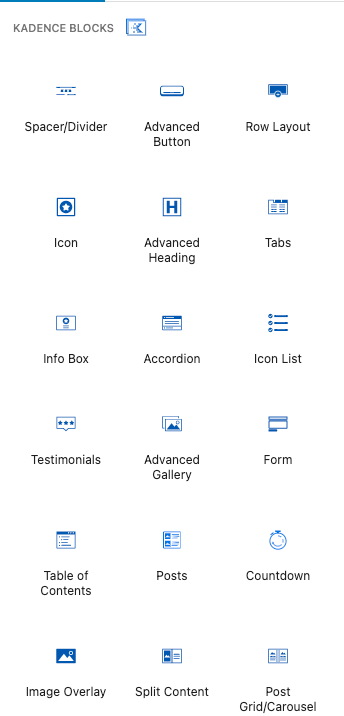
These pages are every bit as good as those created with a traditional page builder. The biggest advantage is the simplicity it brings. You're not injecting your site with all the code from a page builder. This keeps your site lightweight and allows it to load faster.
How to choose a WordPress theme for your website?
The best WordPress theme for your website ultimately depends on your personal preference. In any case, you can't go wrong with any of the WordPress themes mentioned in this article.
Kadence is perfect if you want a lightning-fast and versatile theme, but the documentation isn't very comprehensive yet. This makes it a bit more challenging for beginners. Divi offers exceptional and responsive customer service with extensive documentation, but it's slightly less speedy.
The premium version GeneratePress is a more affordable alternative to Kadence, though its free version is more limited. It's also considerably harder to master (as it's geared more toward developers and experienced WordPress users).
Astra and OceanWP work perfectly with page builders like Elementor. If you're already familiar with Elementor, then either of these themes would be a great option for you.